 Little Gift List
How to Create a Wishlist From Multiple Shops
You might find a book in one shop, jewellery in another and a lovely mug somewhere completely different. Keeping separate wishlists with every retailer makes those finds difficult to revisit.
A multi-shop wishlist, sometimes called a universal wishlist, keeps gift ideas from different shops in one place. It is not a single checkout or shopping basket. It helps you return to the correct product when somebody wants to choose a gift.
In this article
Start with one personal wishlist
Create a free Little Gift List account, follow the email confirmation instructions and open My Wishlist. Use the plus button to add something you would love.
You can also enter an idea manually, such as a gift from a local market, a homemade item or an experience without a product link.
Save the right information
Use the actual product page
Copy a link to the item rather than a retailer homepage, search result or private basket. Check that the link opens the correct product.
Add details about the variation
A retailer may use one page for several sizes or colours. Include your preferences in the gift record rather than assuming the link remembers them.
Check the imported details
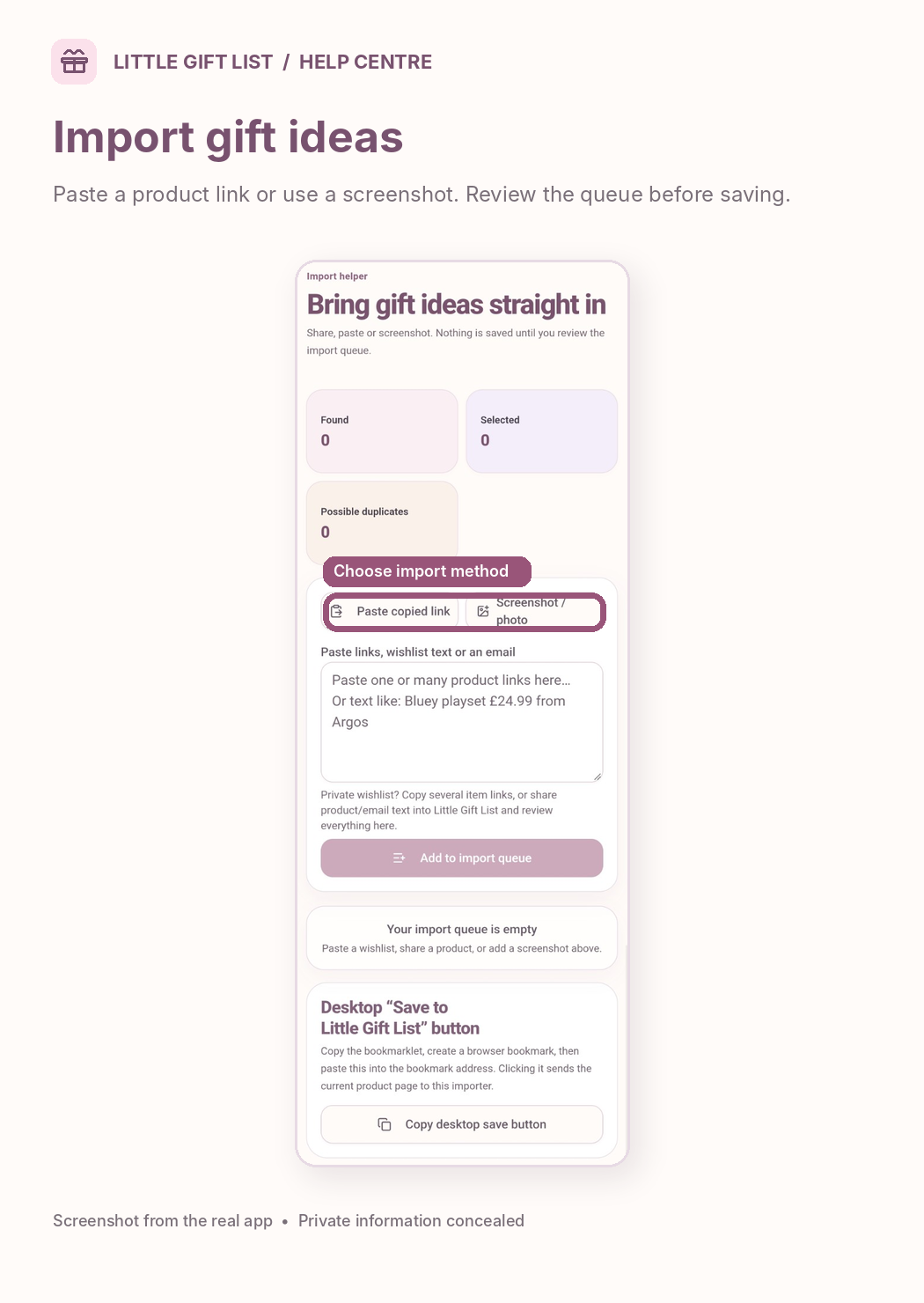
Not every shop provides product information in the same way. Check names, images and prices and enter missing details manually where needed.
See our importing gifts guide and missing product details guide.
Make the list useful for the gift buyer
Imagine your wishlist contains a novel, candle and pair of shoes. Specify the book edition if it matters, the candle scent you prefer and the correct shoe size. If you are happy with alternatives, say so.
Include ideas at different prices. Saved prices are a guide, not a promise of the price available when a friend buys something.
Can you add products from different shops?
Yes. You can add product links and manual ideas from different retailers. Automatic importing may vary between websites.
Little Gift List does not guarantee a retailer's stock, delivery, price or return conditions. The purchase takes place with the retailer.
Share your wishlist privately
Open Share in My Wishlist and create an invitation for each person. Unused invitations expire after 12 hours and are intended for one registered account.
Invited viewers can manually mark a gift as bought to help other viewers avoid duplication. Your own wishlist does not reveal those purchases. You can manage access later.
Read the private sharing guide to learn more.
Review your list throughout the year
Remove items you no longer want and update outdated links when you notice them. Keep a few options across different price ranges.
You can continue using the same personal wishlist for different occasions. If you are preparing for a birthday, our free birthday wishlist article offers a simple starting point.
Frequently asked questions
What is a universal wishlist?
It is a collection of gift ideas from multiple shops instead of a list tied to one retailer.
Can I add ideas without links?
Yes. Write the details manually.
Are saved prices always current?
No. Check the retailer's current checkout price and availability before buying.
Can someone buy directly from my wishlist?
The wishlist helps people find gifts. They purchase from the retailer and may manually mark the item bought in the shared wishlist.
All your favourite finds in one little place ♡
A wishlist should fit how you discover gifts. Save the things you love, check the details and share only when you choose.